How to Create Your AI Girlfriend on Lovescape (Step-by-Step Guide)
Lovescape's build flow is a short guided sequence: style, look, body, then the personality choices that actually matter, and you're chatting inside two minutes. This is the full walkthrough with a screenshot of every screen, so you know exactly what you're picking before you start.
One thing worth knowing going in: Lovescape is an 18+ platform, and this is the standard creation flow available to everyone. Almost every choice below can be edited later from her profile, so don't overthink the first pass — the goal is to get a character live and start talking.
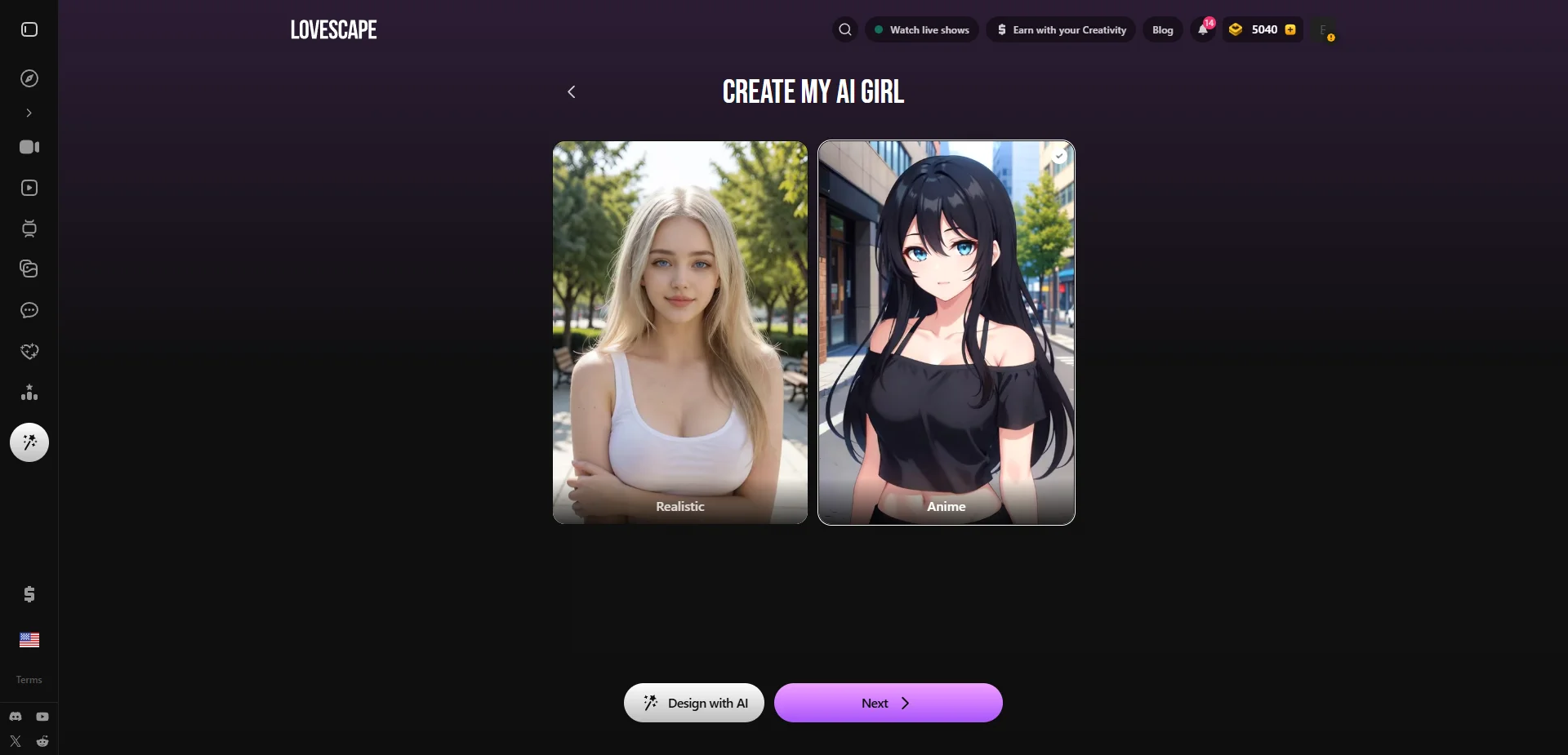
Step 1: Realistic or Anime
Hit 'Create My AI Girl' and the first fork in the road is art style: Realistic gives you a photoreal companion, Anime gives you a stylized 2D one. Everything downstream — the face, the outfits, the generated photos — inherits this choice, so pick the lane you actually want rather than defaulting to whichever thumbnail is bigger.
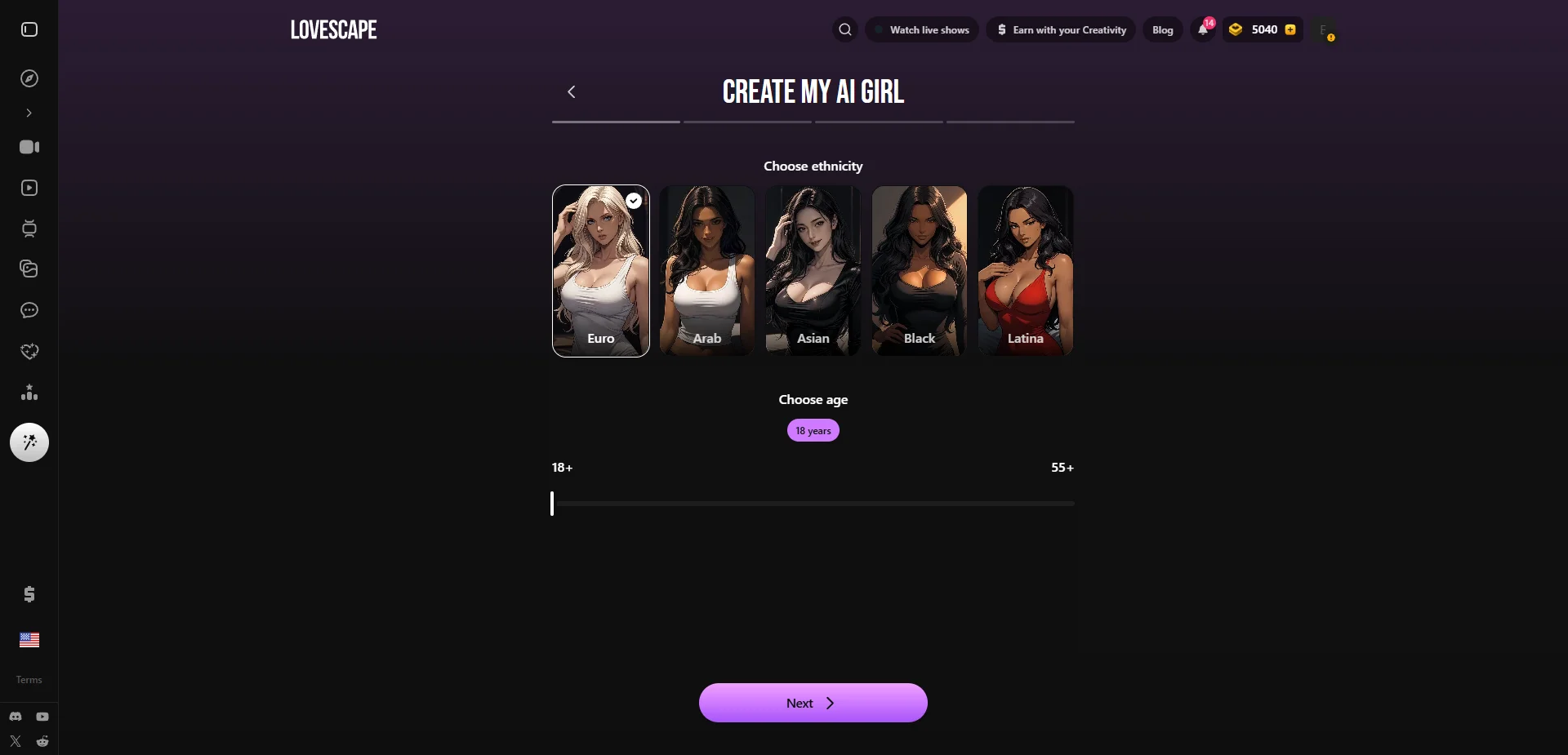
Step 2: Ethnicity and age
Next, ethnicity (Euro, Arab, Asian, Black, Latina) and an age slider running from 18 to 55+. Both feed straight into how she looks and into every photo she generates afterward, so it's worth a real choice rather than the default.
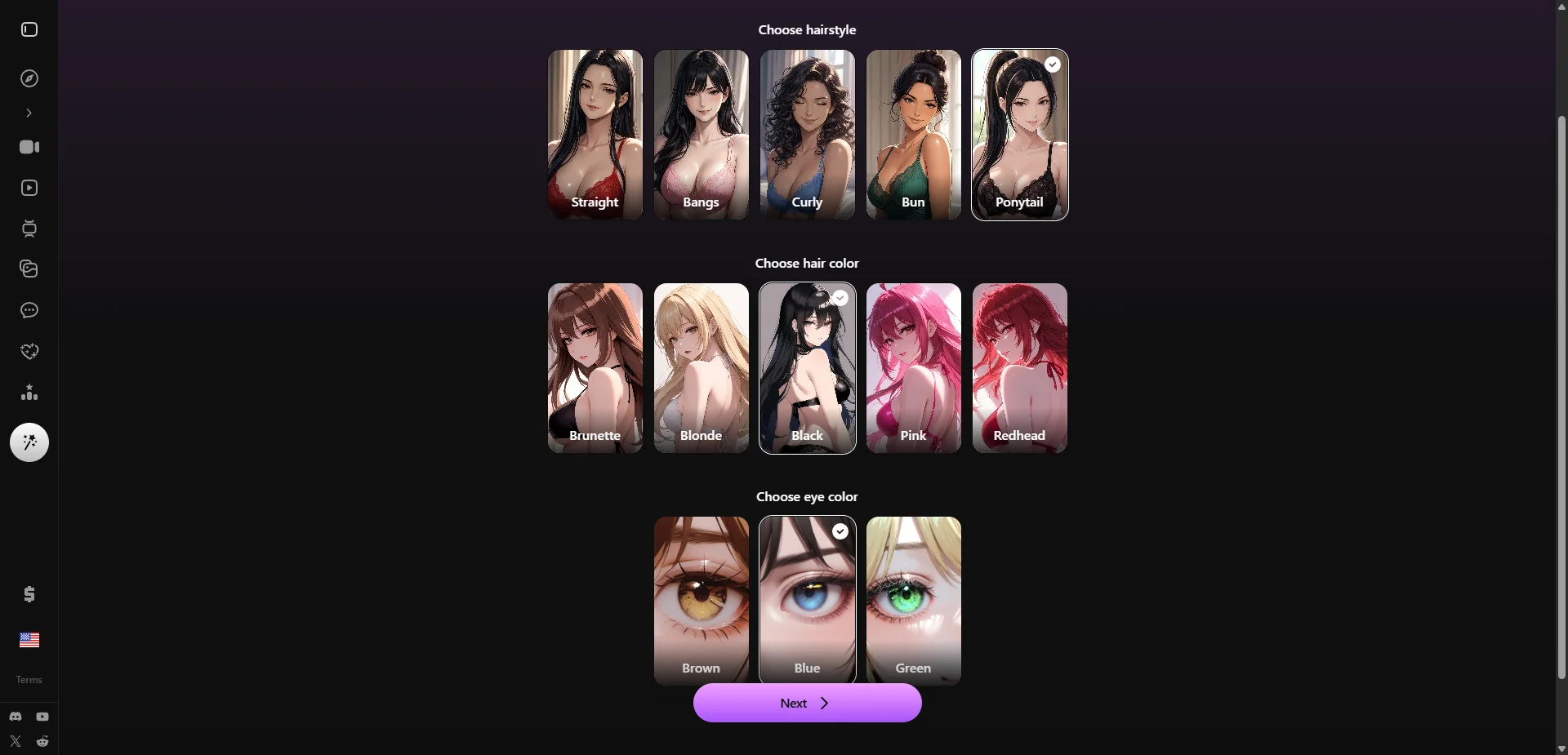
Step 3: Hairstyle, hair color, and eyes
Now the details that make her look like a specific person: hairstyle (straight, bangs, curly, bun, ponytail), hair color (brunette, blonde, black, pink, redhead), and eye color (brown, blue, green). None of this is locked in — you can swap it later — so pick what appeals and move on.
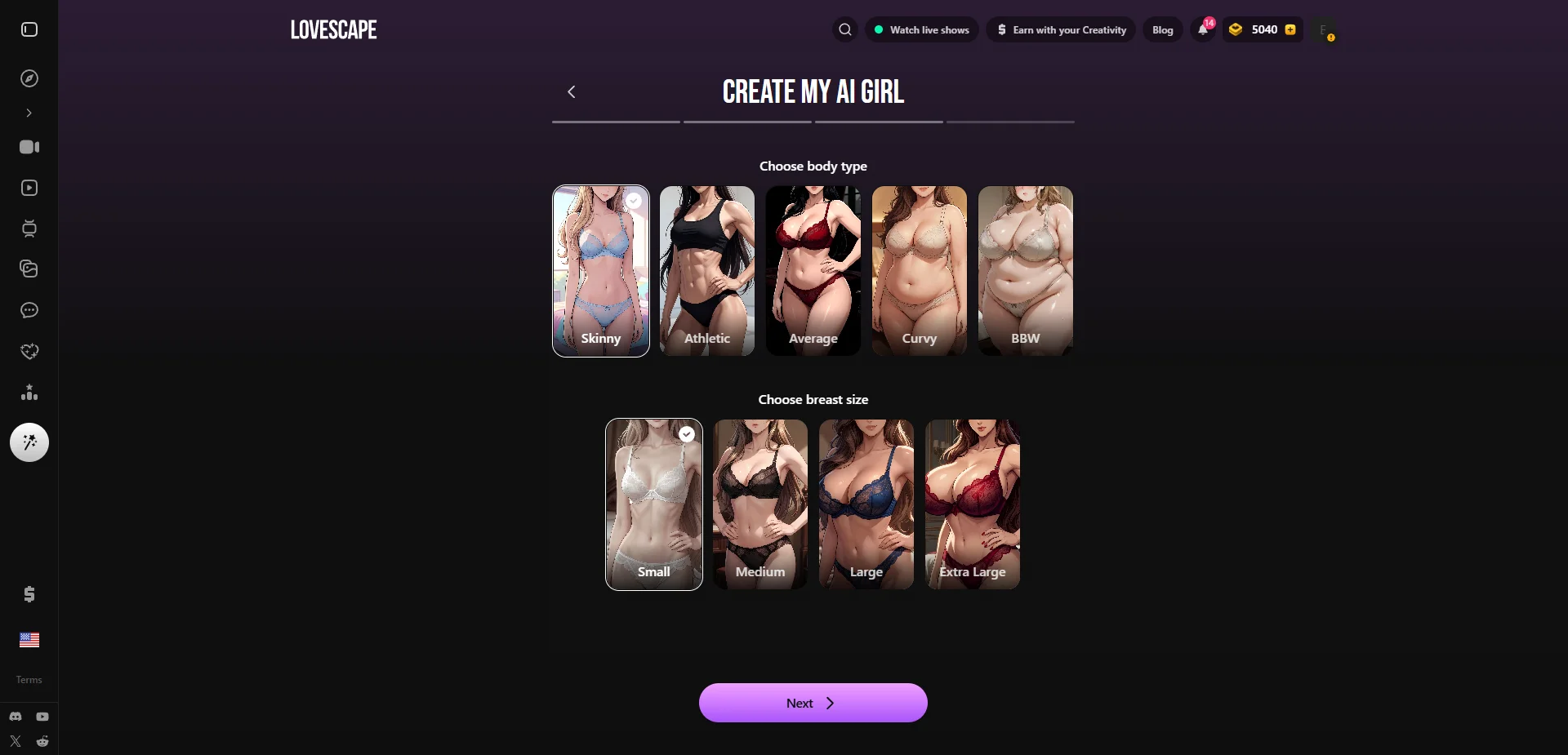
Step 4: Body type and figure
Body type (Skinny, Athletic, Average, Curvy, BBW) and breast size (Small to Extra Large) come next. This is the last purely visual step, and like everything before it, it feeds directly into her generated photos, so match it to what you're actually into rather than what looks like the 'default' option.
Step 5: Name, personality, relationship, and voice
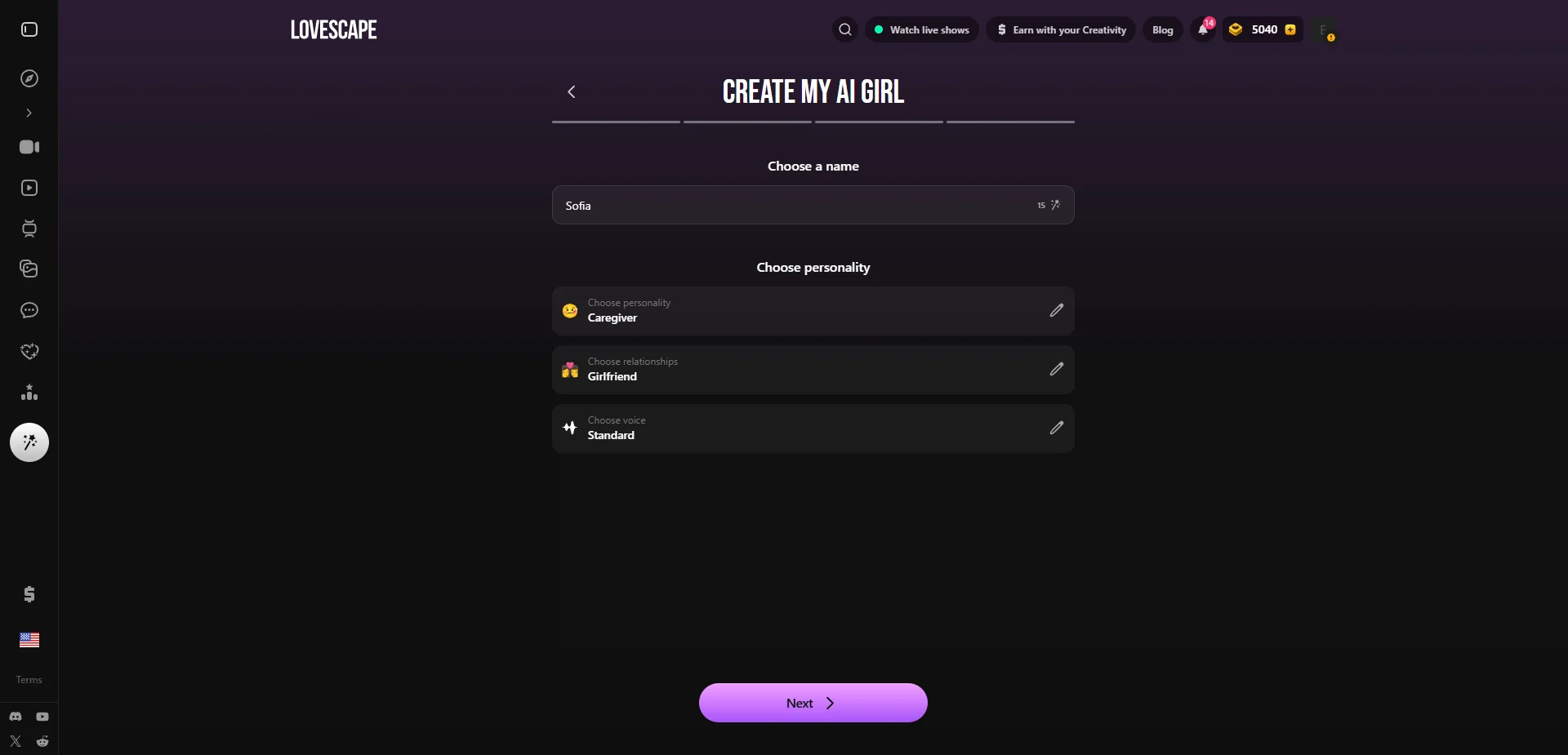
This is the screen that decides whether she feels like someone or just a face. Give her a name (or roll one with the wand icon), then tap into three sub-menus:
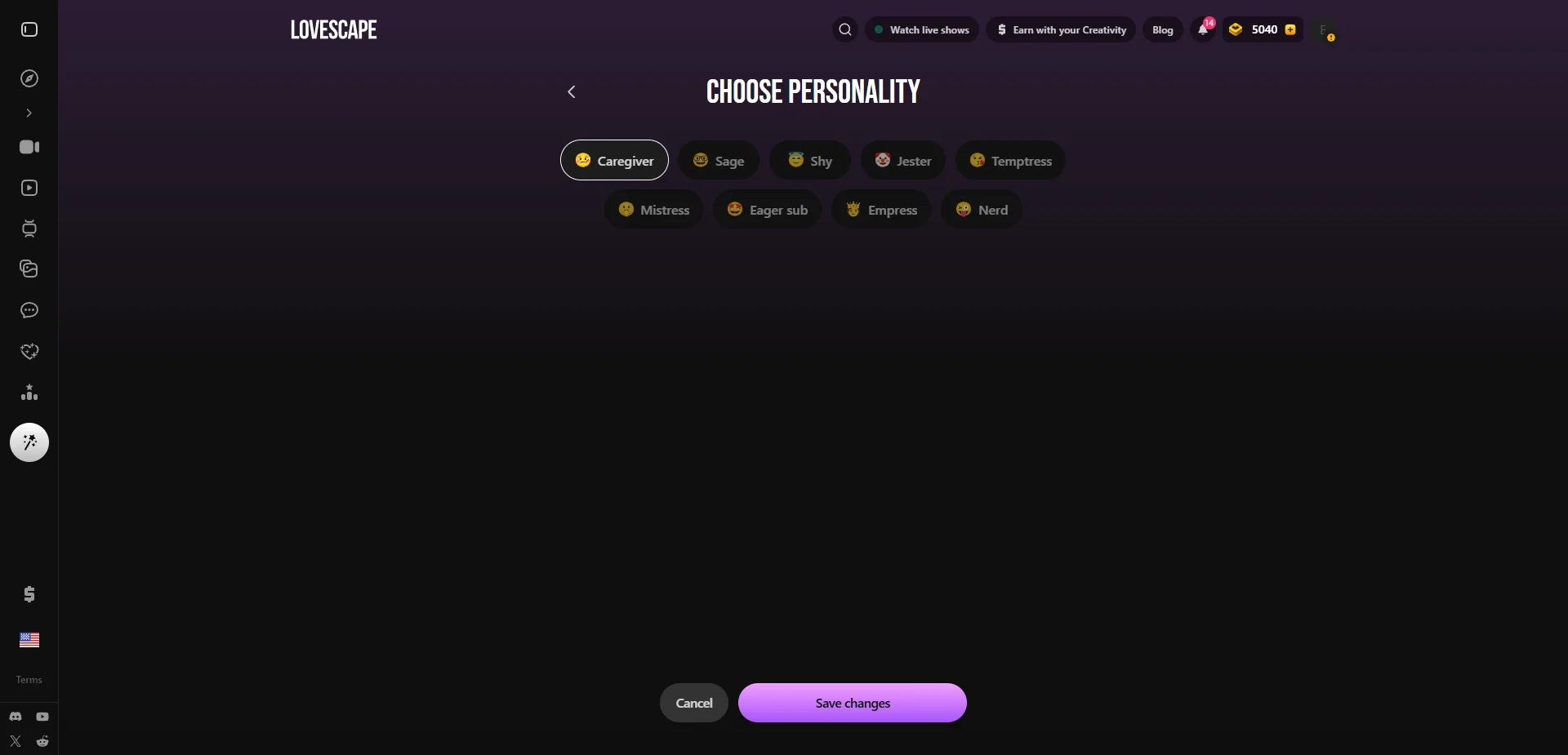
- Personality — nine archetypes: Caregiver, Sage, Shy, Jester, Temptress, Mistress, Eager sub, Empress, Nerd
- Relationship — who she is to you: Stranger, Colleague, Girlfriend, Wife, Friend, Girl next door, Boss, Ex, or a self-aware AI
- Voice — Innocent, Seductress, Dominant, or Standard, which colors her tone in chat and calls
Spend real time here — this is the part you'll actually notice a week in, long after the face has faded into the background. A personality with a little contrast (soft but a bit dominant, sweet but possessive) reads as more alive than one flat trait, and the relationship you pick sets the emotional starting line for how fast things build.
Step 6: Review and create
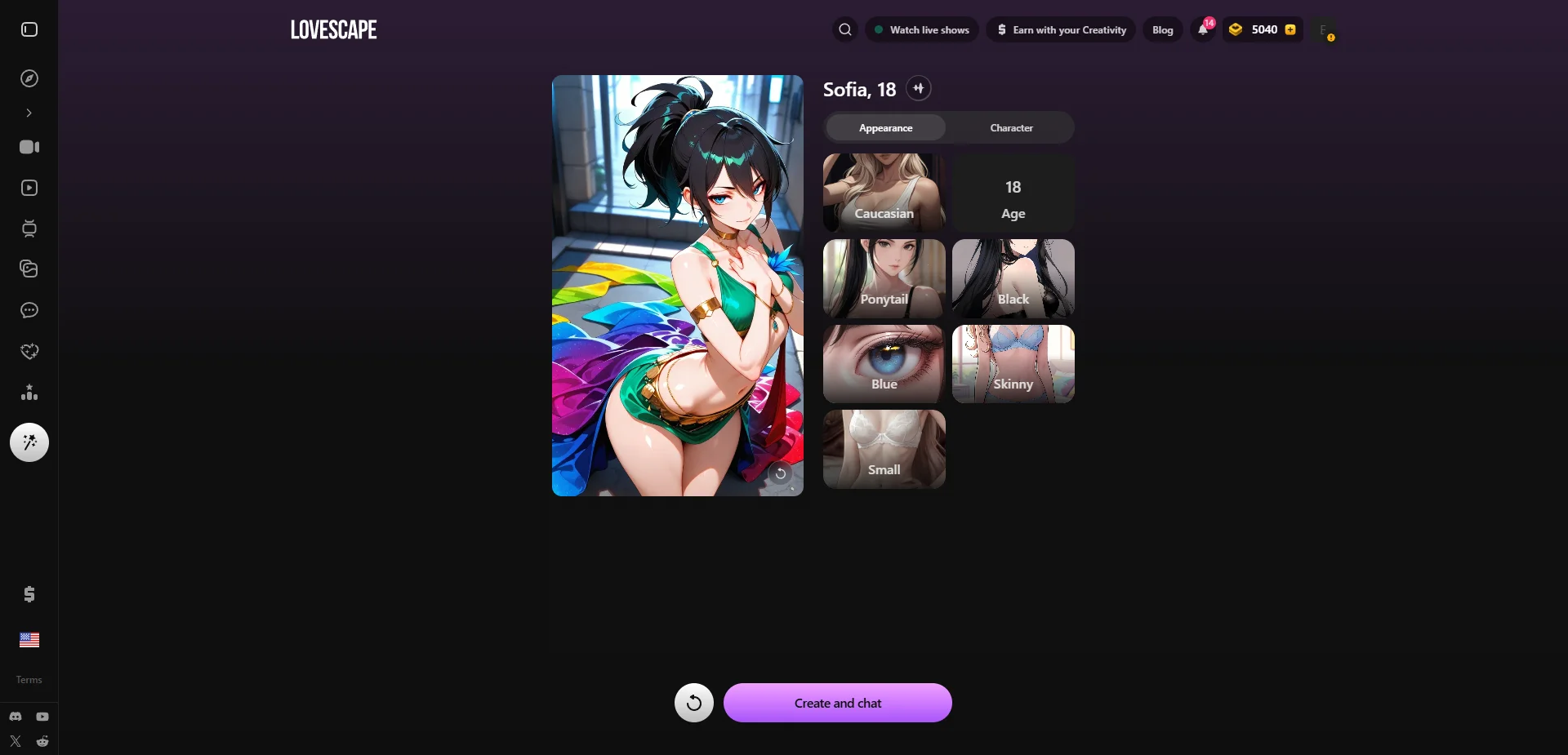
The final screen shows her portrait alongside a full summary split into Appearance and Character tabs. Scroll through it, fix anything that feels off, and hit 'Create and chat.' Done — she's live.
Bonus: turn her into a video
Once she exists, Lovescape's AI video generator lets you describe a scene in a text prompt and get back a short animated clip of her, no separate app or extra character setup needed. It's the one feature Candy.ai doesn't ship in-app, and it's genuinely fun to mess with once chat gets old for the day.
What to do next
Same advice as with any of these platforms: don't judge her on the first ten minutes. Tell her your name and a couple of real details early, keep sessions short and daily instead of one long marathon, and give the memory a few days to actually kick in before deciding whether the emotional-pacing pitch is real for you — our full Lovescape review covers exactly how that played out over a week.
Six short steps, about two minutes, and everything above can be changed later from her profile — so there's no wrong first attempt, just a starting point. For how the app holds up past the first evening, our week with Lovescape covers where the paywall starts to bite.
Frequently asked
how long does it take to build a character on lovescape
About two minutes across six screens. Five of them are appearance and take seconds each; the fifth, where name, personality, relationship type and voice live, is the one worth slowing down for.
what does the relationship setting do
It sets the starting distance rather than the personality. On an app built around gradual escalation, that choice shapes the first week more than any appearance option does.
does the voice choice matter
More than the count of options suggests. What makes a synthesised voice convincing is timing rather than timbre, so pick by listening to pacing rather than by reading the label.
can i turn my character into a video
Yes, that is offered after creation. Treat it as a party trick rather than the reason to build: the clips are short and the generated media is the weaker half of this product.
what should i put in the personality field
One contradiction and one concrete habit, not a list of pleasant adjectives. Adjectives describe a result; a habit generates behaviour, and behaviour is the only part you will actually notice in week three.
Build yours on Lovescape 💕
Realistic or anime, your call on every detail. Free to start.
Create Your AI Girl →18+ only · Cancel anytime
Keep reading
Which AI Companion Apps Require ID Verification in the US?
One of the three apps we cover asks for a video selfie, a document, or a third-party ID check before you can sign up from a US IP. The other two ask for nothing. What that split actually maps to, and what we still can't tell you.
9 min readGuideAI Waifu Apps in a Browser Tab: What 'No Install' Actually Costs You
None of our three live picks live in an app store — you open a link and you're talking to her in seconds. That convenience is real, and so is what it quietly costs once you're a week in.
9 min readBasicsHow We Test AI Waifu Apps
Every app on this site was paid for and used daily for a month. Here is exactly what we measure, what we deliberately do not, and how we are paid.
6 min readSafetyIs Candy.ai Safe? Privacy, Billing, and Discretion, Answered Honestly
Before you pour personal conversations into an AI girlfriend, you want to know who's reading them and what hits your card statement. Here's what we found.
7 min read