AI Waifu Video Generation: What It Actually Produces
Short answer: GoLove and OurDream expose generated video. In our 25 September 2026 GoLove check, a preset flow let us choose a character, action, outfit and scene, set quantity and resolution, then returned a result to the media library.
- GoLove and OurDream expose generated video; GoLove’s older no-generator description is obsolete.
- OurDream meters standard video by duration: 100 DreamCoins per five seconds, or 1,200 for the 60-second maximum.
- The checked GoLove preset showed 10 Stars for one 720p output, with 1, 2 and 4 quantity plus 480p, 720p and 1080p controls visible.
- GoLove also keeps Live Mode as a separate real-time feature; a rendered clip and a live feed solve different jobs.
“Video generation” means a different workflow and meter on each product. OurDream uses DreamCoins, and GoLove exposes a separate studio with Presets, Custom Video and Extend Video. On 25 September 2026 we ran GoLove’s preset path from selection through a returned item, so the update below separates what that session proves from what one render cannot establish.
Two different things share the word "video"
Before comparing anything, separate two features that share the word video. A generated video is a rendered clip returned to a library. A live feed responds while you are in chat, the way GoLove's Live Mode works. They solve different jobs. This page covers rendered clips; the Live Mode explainer covers the real-time path.
A generated clip has a harder consistency problem than a still image: the same face, body and scene must remain coherent across many frames while something moves. That technical difference is a reason to test repeated clips, not evidence that any specific product fails. The captures below document controls, meters and one completed GoLove result; they do not substitute for a matched quality sample.
The two apps, side by side
| GoLove | OurDream | |
|---|---|---|
| Generates video from a character | Yes | Yes |
| How it's billed | 10 Stars on the checked 1×720p preset | Metered: 100 DreamCoins per 5 seconds |
| What you give it | Character plus preset action, outfit and scene; Custom and Extend tabs also visible | A built character, generated on request |
| Evidence boundary | One returned result; not enough to score | Current rate card checked; repeated output not rerun here |
| Separate real-time feature | Live Mode | — |
Both apps are in the workflow comparison, but the evidence types differ. The GoLove capture follows one preset from selectors to a returned item. The OurDream evidence records the current public meter. Those facts can be compared; average render quality cannot be compared until the same character, prompt, duration and number of attempts are recorded on each product.
OurDream: a real meter, and a real ceiling
OurDream's published rate card meters standard video by duration: 100 DreamCoins for every five seconds, with a maximum length of 60 seconds. The current Standard subscription deposits 1,000 coins each month, so spending the whole balance on standard video buys 50 total seconds — ten five-second blocks — while a full 60-second generation costs 1,200 and exceeds one ordinary monthly deposit. How OurDream's DreamCoins actually work keeps the current image, call, audio and video rates together.
What that means in practice is that duration matters more than clip count. One five-second standard block costs 20 times an in-chat image, while a 30-second result costs 600 coins before any image, call or premium-model use. This article rechecked the published meter, not a repeated-output quality sample, so it does not turn that cost arithmetic into a claim about average visual quality.
Put a number on it: five separate five-second standard generations cost 500 coins, half of the current 1,000-coin monthly deposit. Five 20-second generations would cost 2,000. That's not a reason to avoid the feature, but it is a reason to choose duration deliberately and leave room in the same balance for any images or calls you plan to use.
That evidence establishes the workflow and paid availability; it does not establish repeated-output consistency.
The former describes chat, character creation, voice and images; the latter explains image spending. Neither establishes a video-specific price or guarantees that clips are included without an additional charge. The recorded workflow is evidence of an available path, not of unlimited generation. Check the current generator's entitlement and cost before confirming.
GoLove: a real generator beside Live mode
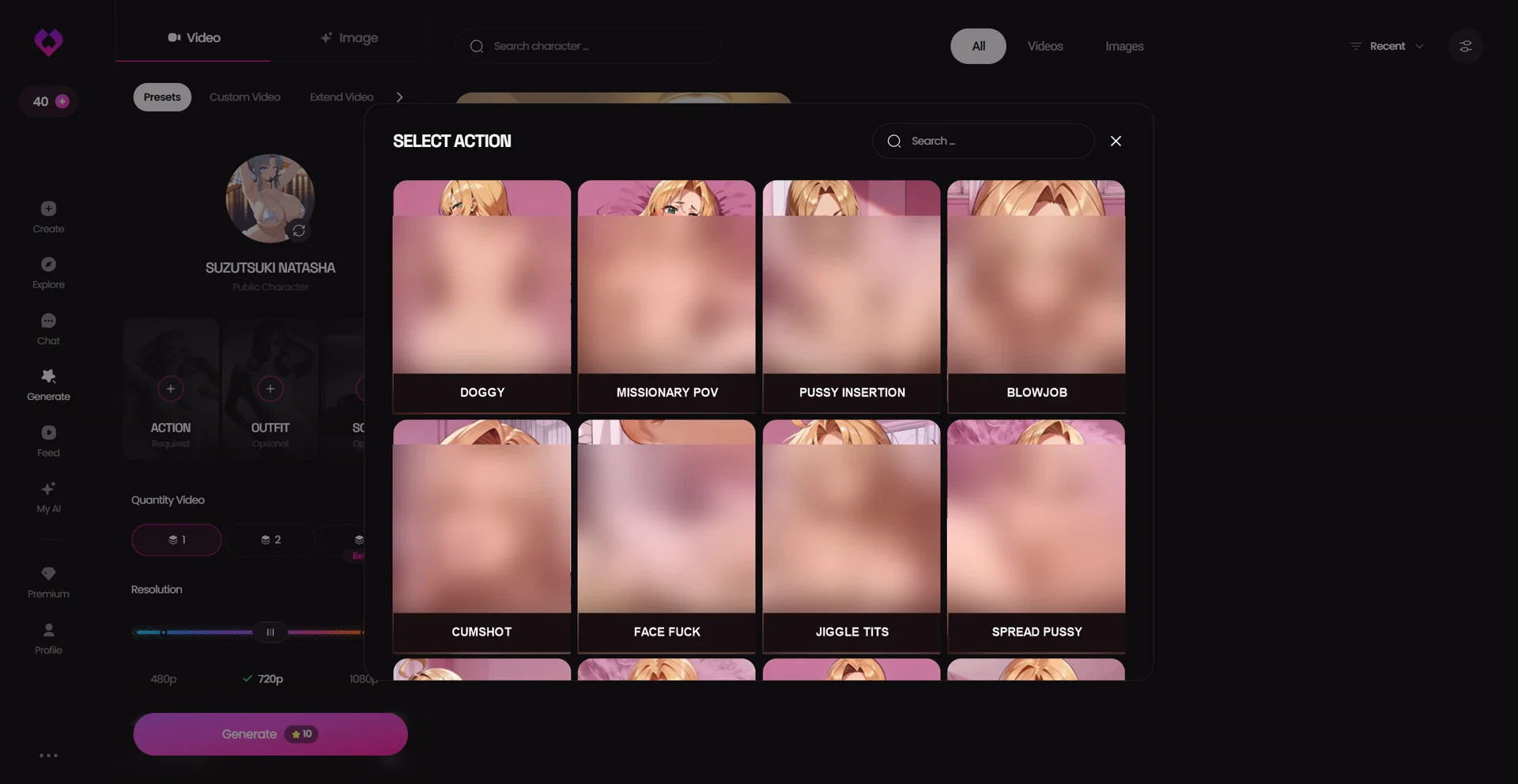
GoLove's current Generate area begins with Video and Image tabs. Under Video it exposes Presets, Custom Video and Extend Video. In the checked preset path we chose an anime public character, then moved through separate character, action, outfit and scene selectors. Exposed anatomy is blurred in the public evidence below, while the action names and surrounding interface stay readable because they prove what this selection step actually offers.
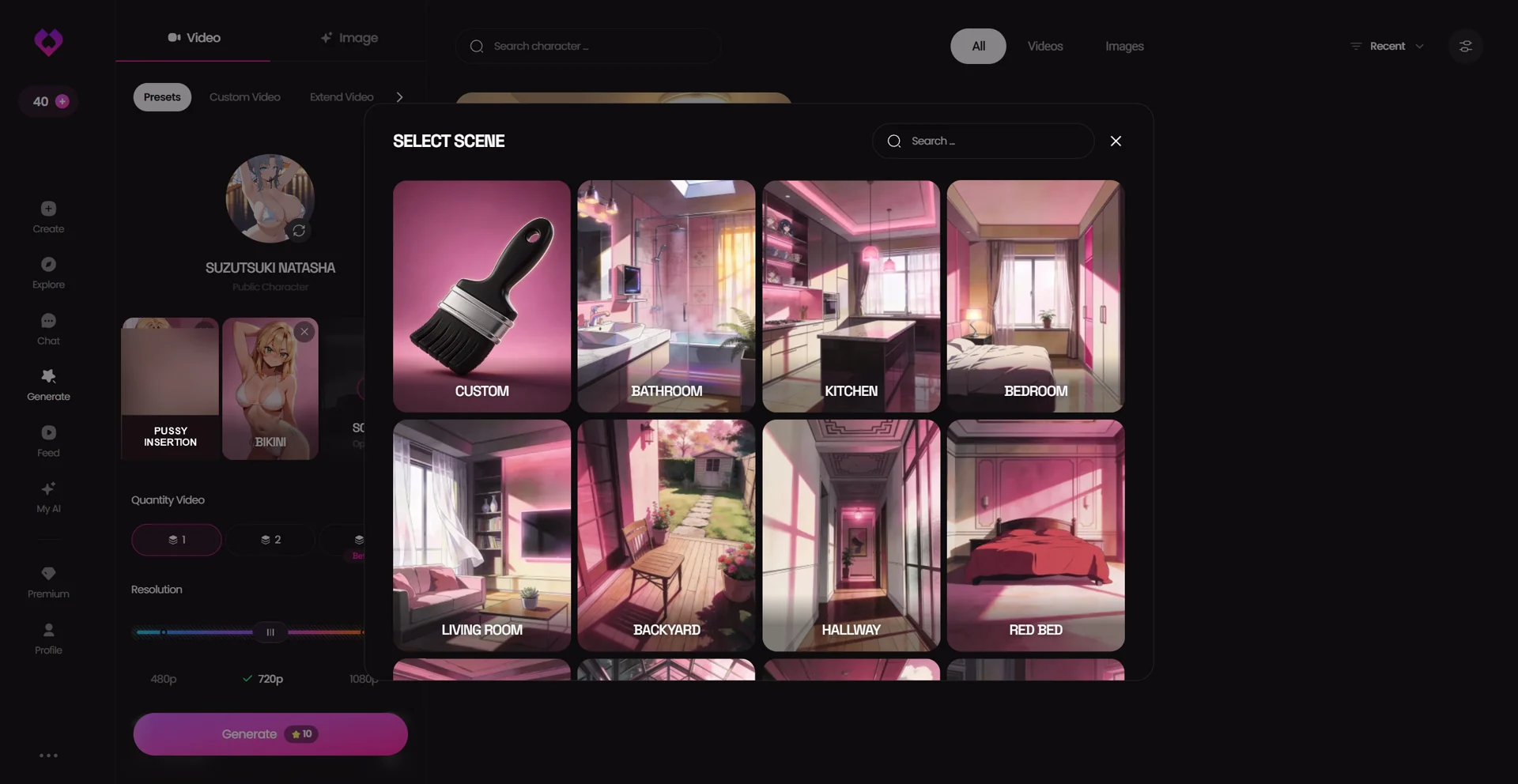
The scene step then offered Custom, Bathroom, Kitchen, Bedroom, Living Room, Backyard, Hallway and other presets. The selected adult action remained visible in the left rail, so only the exposed anatomy in that thumbnail is blurred; its label stays readable. This screenshot belongs next to the scene claim because it shows the available scene choices rather than serving as generic decoration.
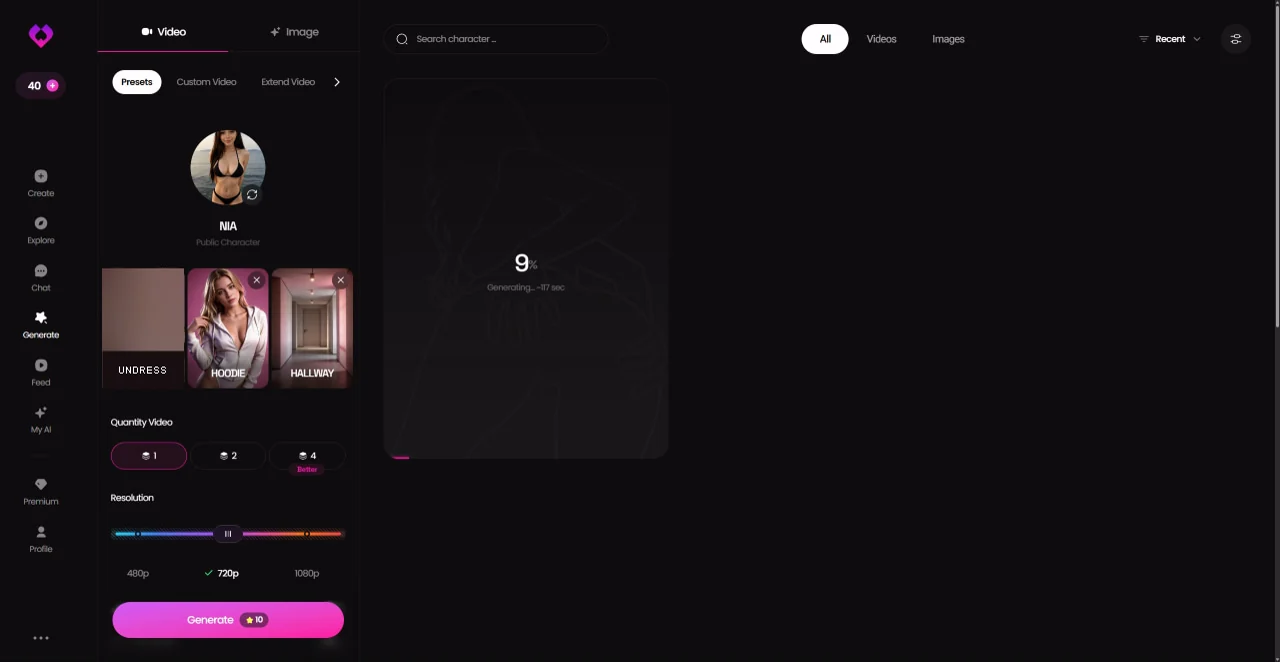
Before generation, the interface showed output quantities of 1, 2 and 4 plus 480p, 720p and 1080p resolution controls. Our captured selection was one video at 720p, and its Generate button showed 10 Stars. That number belongs to this exact selection; we did not map the cost of every quantity, resolution, custom-video or extend-video combination.
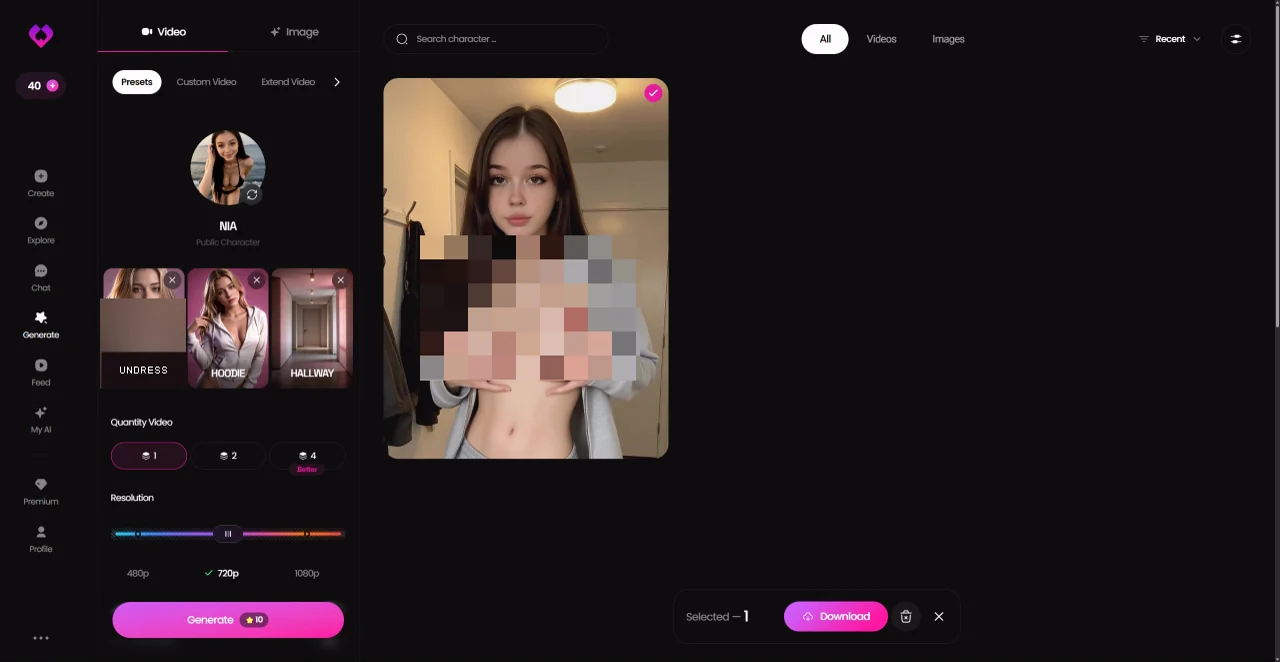
The render completed and appeared in the media library with a Download control. The returned media contained adult nudity, so the public copy uses a mosaic over the result and blur over the small adult preset thumbnail. One completed item proves the end-to-end path works. It does not establish average render time, failure rate, motion quality or character consistency across repeated clips.
Live Mode remains a separate feature inside chat: it is the real-time animated layer, while Generate returns a clip to the library. GoLove therefore offers both shapes now. Choose between them by job — a rendered scene you can keep, or an interactive feed while you talk — rather than treating one as a substitute for the other.
What actually decides whether this is worth paying for
- Want a rendered preset with direct control over action, outfit, scene, quantity and resolution: GoLove now exposes that workflow, but check the current Star figure before generating.
- Want a moving companion during chat rather than a saved clip: GoLove's separate Live Mode is the relevant feature.
- Want duration-based arithmetic before generating: OurDream publishes a five-second DreamCoin rate, so the expected balance impact can be calculated in advance.
- Treat one successful render as proof of availability, not proof of quality. Repeated generations are needed before judging consistency or failure rate.
Verdict
Both apps covered here expose generated video, with different evidence. OurDream publishes duration-based DreamCoin arithmetic. GoLove exposes separate Presets, Custom Video and Extend Video paths; one completed 720p result confirms that the preset path returns media. Repeated matched runs are still required before comparing quality or reliability. Keep those unknowns separate from the cost of one recorded configuration.
Frequently Asked Questions
can ai girlfriend apps actually generate video
Yes. GoLove and OurDream expose generated-video workflows. GoLove’s current app has Presets, Custom Video and Extend Video paths; our checked preset returned one result.
how much does ourdream's video generation cost
The current rate card lists standard video at 100 DreamCoins per five seconds, up to 60 seconds. A Standard plan's 1,000-coin monthly deposit therefore covers 50 total seconds if you spend none of it on images, calls or other metered actions.
does golove have video generation
Yes. The current Generate area has Video and Image tabs plus Presets, Custom Video and Extend Video. Live Mode still exists separately as the real-time layer inside chat.
is ai waifu video generation actually good
The current evidence proves that all three workflows exist and records their visible meters. It does not provide a matched repeated-output sample across the three products, so this page does not rank average quality, speed, consistency or failure rate.